Check the phone and TV as separate devices
The Android version of your phone is not the Android version of your television. Check both. The phone requirement comes from the community app documentation; the TV still needs a compatible system, the applicable debugging access and a device-specific review.
Look up your exact television in the community model list. Similar marketing names can cover different models and firmware. A missing record means more checking is needed, not an automatic yes or no.
Download the phone app, not a random TV APK
The community app is published by udhaykumarbala and linked by the original project. Our download centre points to the author’s release and provides a QR code for the same file. Install that APK on the Android phone.
The upstream TV launcher release is source-only in the reviewed snapshot. A file advertised as a prebuilt launcher from another site needs its own source and signing checks. Do not assume every file with CleanYourTV in its name is the same package.
Connect, review and then check the result
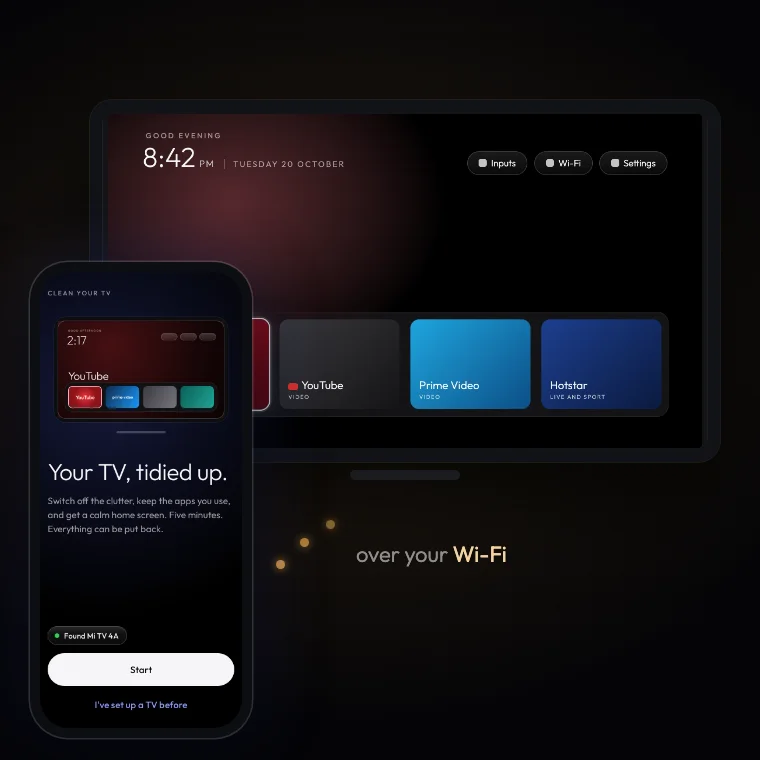
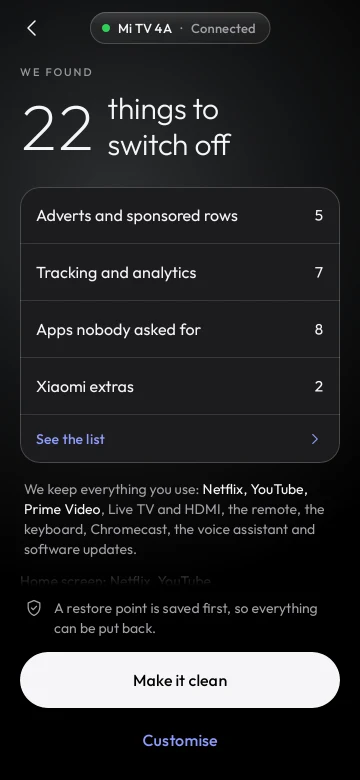
Follow the illustrated Android phone guide. It shows the connection, proposed-change review and completion stages using upstream app images. Confirm the expected connection on the television and read the proposed changes before applying them.
Keep the app’s restore point. Check the features you actually use afterwards, including Home, the remote and your preferred inputs or casting. A completed screen or a marked website checklist does not replace those checks.
What if you only have an iPhone?
The phone application linked in this guide is an Android application. We do not provide an iPhone-only installer. The setup assistant makes that distinction and can point you toward a Windows, Mac or Linux computer workflow instead.
The computer route uses the upstream project and prompt with a coding assistant that has local shell access. It is a different set of prerequisites, so choose it deliberately rather than trying to open an Android APK on iOS.
When the phone route is not the right match
Samsung Tizen, LG webOS and Roku OS do not use this Android workflow. Fire OS also has restrictions that require the exact device notes. A brand name alone does not tell you which system is installed.
Use your operating system and setup device to generate a relevant starting path. If you hit an error, the guided troubleshooting tool helps separate connection, APK and Home-screen issues.
Common follow-up questions.
Do I install the downloaded community APK on my television?+
The phone app linked here installs on your Android phone. It is separate from the launcher that runs on the TV.
Can I use only an iPhone for this documented route?+
No iPhone-only setup route is provided here. Use a supported Android phone or review the computer workflow.
Is the phone route compatible with every smart TV?+
No. Check the operating system, exact device record and current community app requirements first.